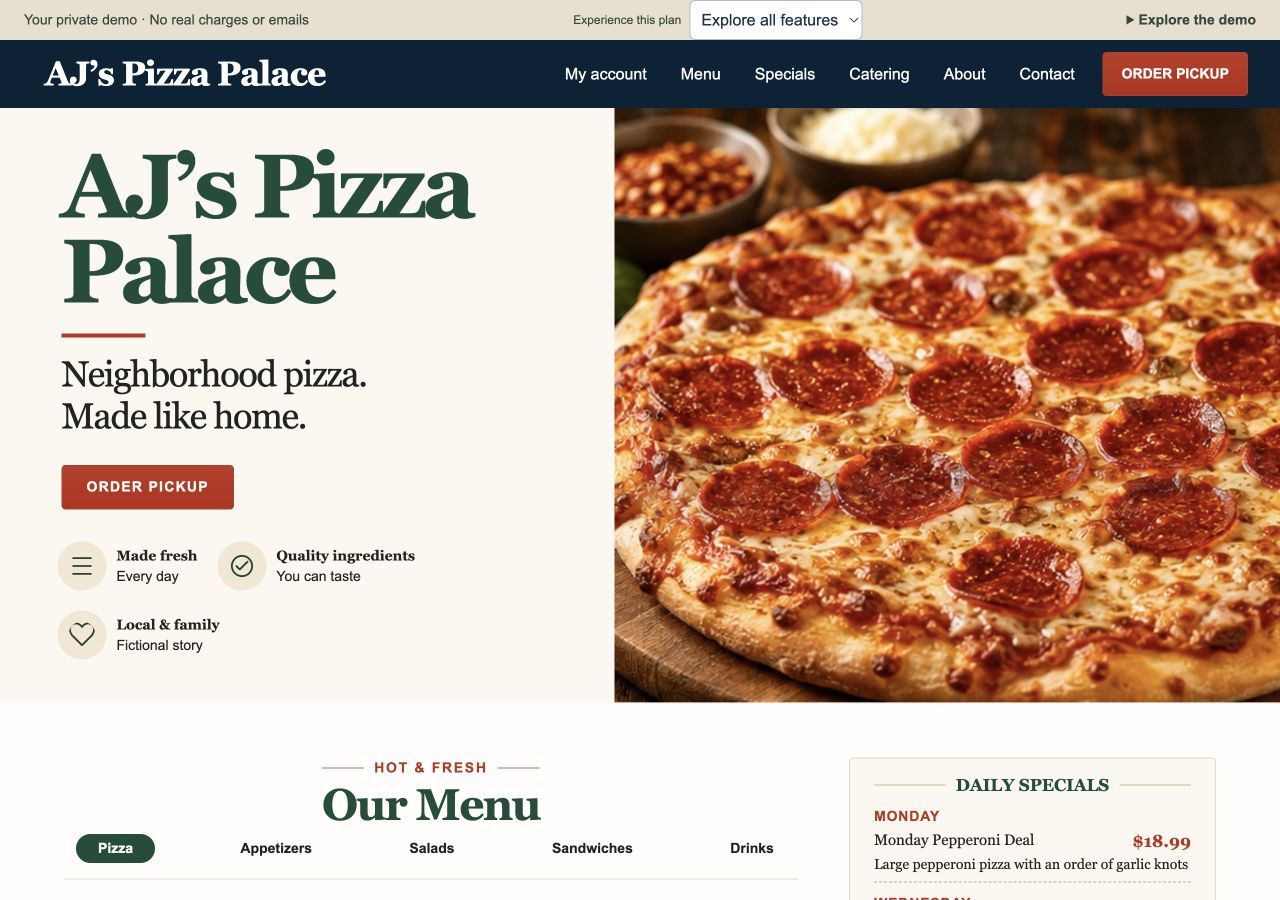
Restaurant storefront
Explore the menu, included toppings and paid extras before choosing pickup.
Open restaurant storefront →Websites for Kentucky restaurants
Built, managed, and supported for Kentucky restaurants. Give customers a clear menu, fewer reasons to call, and a simple pickup path your staff can follow.
From $599 setup + $69/month. Compare plans
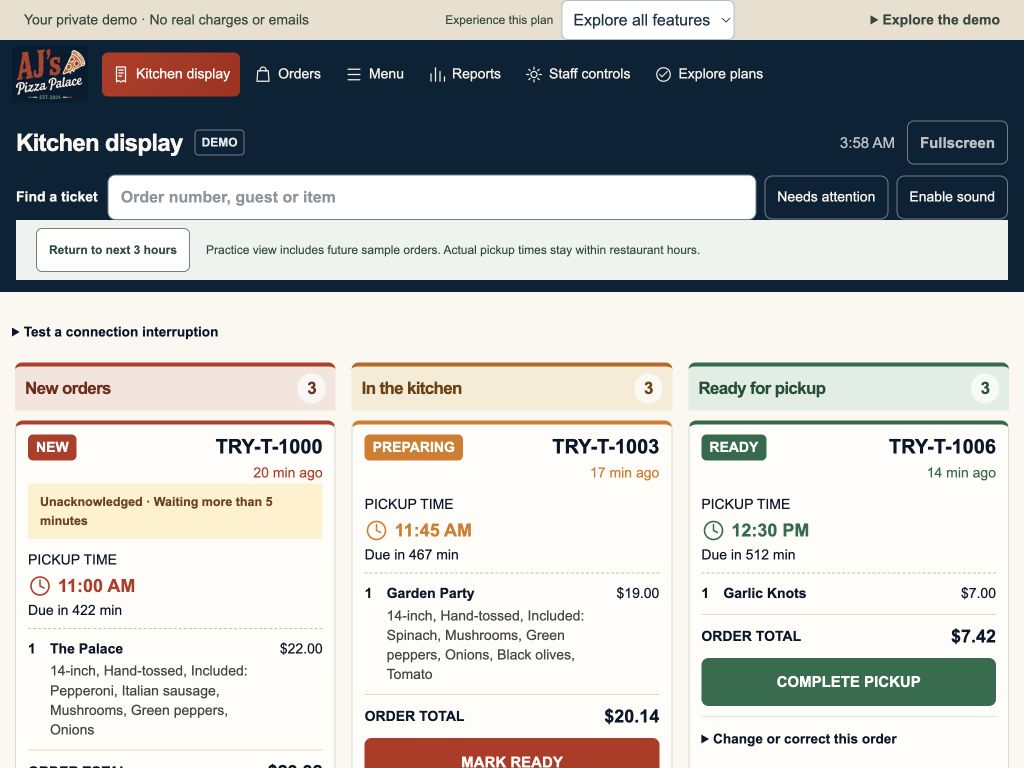
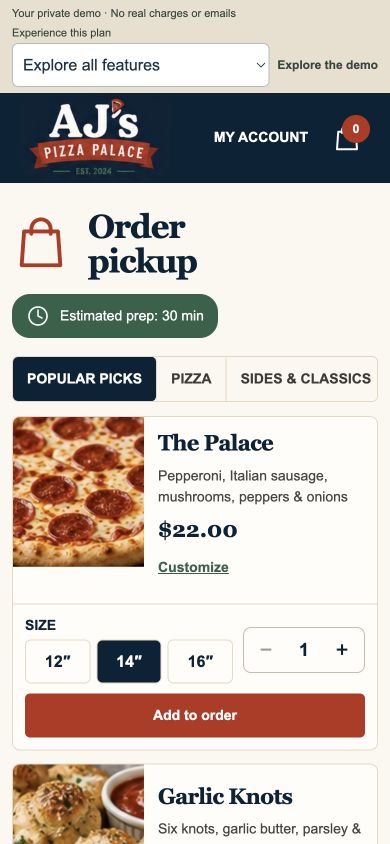
Try the working restaurant demo
AJ’s Pizza Palace is a fictional Kentucky restaurant. Try a complete sample order, with your own private demo workspace. No real charge, restaurant order, or email is sent.
Explore the menu, included toppings and paid extras before choosing pickup.
Open restaurant storefront →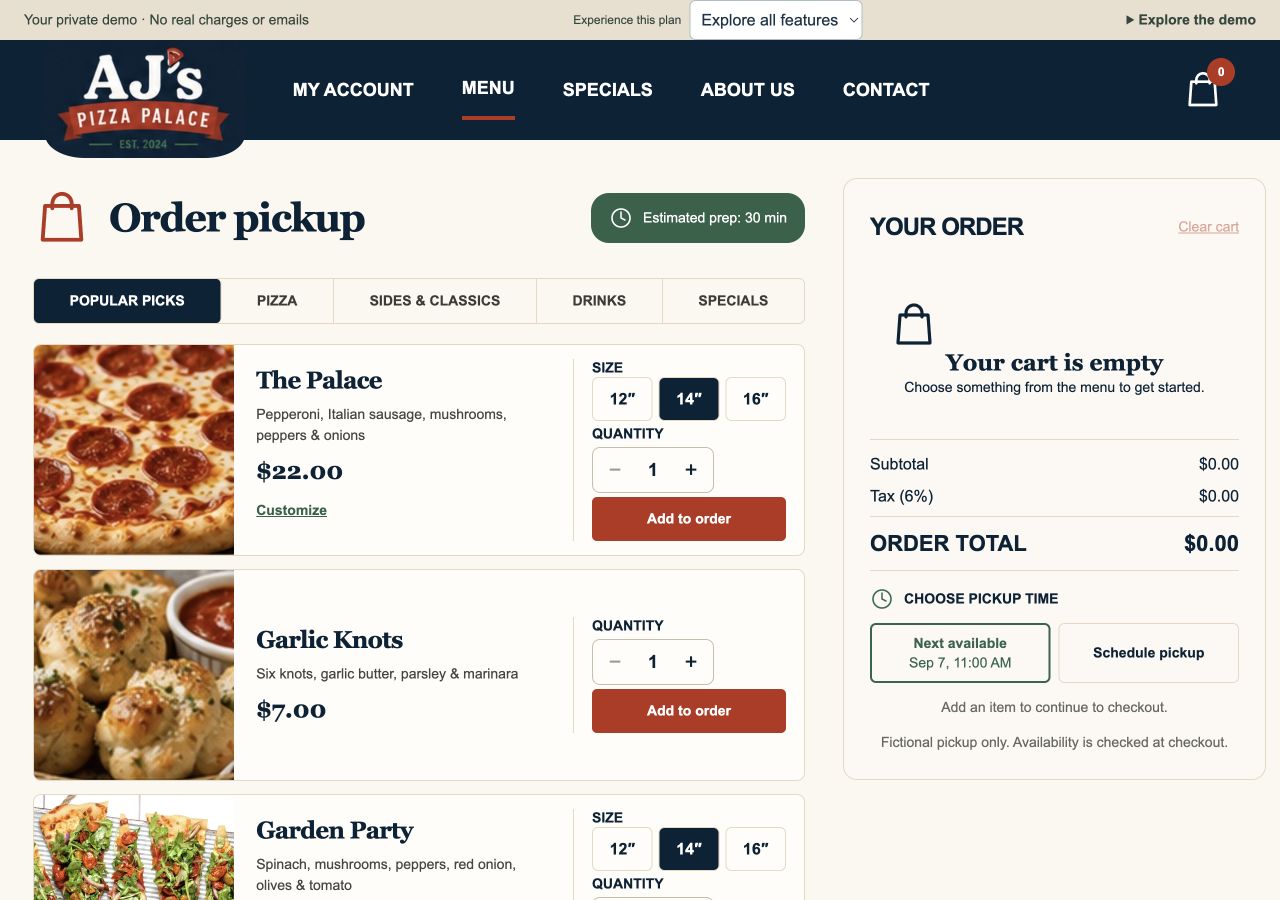
Customize food, choose pickup, and continue to a no-card sample checkout.
Open customer ordering →Follow that same ticket through preparation and pickup, then review sample sales.
Open Order Pro kitchen →Clear restaurant plans
Every plan includes your website, hosting, staff controls and ongoing care. Typical launch: 1–2 weeks once content and setup are ready.
Order online. Pay at pickup.
$599setup
+$69/month
Customers order online and pay at your restaurant.
3 update rounds per month
Order and pay online.
$1,200setup
+$119/month
Add online checkout and a compatible order handoff.
8 update rounds per month
Run the kitchen workflow.
$2,000setup
+$179/month
Follow every order through pickup, with one included tablet.
12 update rounds per month
| Included | Basic | Business | Order Pro |
|---|---|---|---|
| Website | Included | Included | Included |
| Pickup ordering | Pay at pickup | Included | Included |
| Pay online | Not included | Yes | Yes |
| POS integration | Not included | If supported | If supported |
| Kitchen dashboard | Not included | Not included | Included |
| Reports & Excel export | Not included | Not included | Included |
| Included tablet | Not included | Not included | One tablet |
| Monthly update rounds | 3 | 8 | 12 |
Check payment and POS compatibility →
Processing fees, provider subscriptions and applicable domain fees are separate. Order Pro includes one tablet; a printer is not included. We agree your scope and quote before work starts.
The complete feature list
Browse what’s included and what each plan adds.
Find your planUnlabelled features come with every plan.
Business Also in Order Pro Order Pro Exclusive to this plan
01 / Your website
Make it easy to find your restaurant, explore the menu and plan a visit.
Included in every planYour restaurant name, logo, colors and photos.
Customer pages and staff controls adapt to smaller screens.
Clear item descriptions, prices and menu categories.
Highlight the current special and upcoming daily offers.
Show your hours, location and contact details, with a website inquiry form.
Hosting, SSL, domain setup, basic SEO and ongoing maintenance.
Three rounds with Basic, eight with Business and twelve with Order Pro.
Bring a compatible public Facebook Page feed into your storefront. Visitors can try their own Page in the demo.
02 / Pickup ordering
Give customers a simple path from their favorite meal to their next pickup.
Included in every planChoose sizes and crusts, remove included toppings, or add paid extras.
Review quantities, customizations, tax and tips with a clear total before ordering.
Choose the next available pickup or schedule ahead within your configured hours.
Set pickup windows, day and time limits, and capacity for larger orders.
Collect preparation requests and pickup details.
Offer suggested percentages, a custom amount or no tip, with a clear total.
Keep your restaurant informed when website orders arrive.
Let customers place an order online and pay at your restaurant.
Give customers a clear confirmation with their items, customizations, pickup time and totals.
03 / Customer accounts
Their details, their usual order, their favorite customizations. All in one place.
Included in every planCustomers use an emailed code, with guest checkout still available.
Remember names, phone numbers and optional address details.
Save customizations with a personal name or the item name, then rename them anytime.
Review past orders and add them to a cart using current prices and availability.
04 / Staff controls
Simple controls for the changes your team makes during service.
Included in every planGive restaurant staff access to their operating controls.
Temporarily stop new website orders during a rush.
Adjust preparation time and show customers the next available pickup slot.
Edit daily specials and mark items available or sold out.
Staff changes to these controls do not use monthly update rounds.
05 / Payments & POS
Add online checkout and connect compatible tools you already use.
Business + Order ProConnect a supported payment provider and receive payments in your business account.
With customer consent, Square can save a card for future checkout. Requires a compatible, configured Square account.
Review your existing system and confirm compatibility before installation.
Included with Business and Order Pro.
06 / Kitchen & reports
A clear view of the rush, from the first ticket to the last pickup.
Exclusive to Order ProSee new orders, orders in the kitchen and orders ready for pickup.
Find a ticket quickly and focus on orders that need attention.
Enable sound for incoming kitchen orders, with attention and stale connection indicators.
Move orders through pickup. Preview reasoned rejection, cancellation, estimate changes and safe corrections with an audit history.
Keep later pickups and completed tickets available for review.
Show order progress and send confirmation and ready for pickup emails when configured.
Review website orders with item details, totals and tips. Filter by date, status or ticket, with Today and Last 7 days shortcuts.
Compare daily sales, tax, tips, best sellers and busy pickup periods within the loaded reporting dates.
Download website order reports for further review.
Order Pro includes a tablet for the kitchen workflow.
See it working for yourself.
Try the menu, customer account and kitchen in our interactive restaurant demo.
Payment processing fees and optional provider subscriptions are separate. POS and printer connections depend on compatibility; automatic printing remains a planned option. Facebook feeds depend on a public Page’s settings and the visitor’s browser. Other social platforms are reviewed for compatibility. The demo uses fictional accounts and private browser data, with no real charges or emails. A real restaurant uses its own configured customer accounts and a shared staff queue.
One submitted request containing any combination of routine menu, product, price, business hours, photo, and existing text changes counts as ONE update round. Multiple changes within that request do not consume extra rounds. A new request after the previous round is completed starts another round. Monthly allowances reset and do not roll over. New pages, major redesigns, and custom features require a separate agreed quote.
Basic includes 3 rounds, Business 8, and Order Pro 12 each month. Additional rounds are discussed and quoted before work begins.
Routine change rounds usually take effect within 24 hours after we receive the complete request. We confirm timing if a change needs more work.
Optional printer
$300 hardware only. Connection and installation are quoted separately after a compatibility test. Automatic printing is planned and is not live.
Yes, if your printer is compatible with the ordering setup. Send us the brand and model, along with how it connects (USB, Ethernet, or Wi-Fi). We’ll review your setup and arrange a compatibility test before confirming what will work.
Request a website reviewProposed ticket layout for the TSP143IVUE: 80 mm paper, a 72 mm print area, and up to 48 text columns at 203 dpi. This screen preview is enlarged for readability. Exact fonts, spacing and paper output must be verified with a physical test print before installation.
              AJ'S PIZZA PALACE
                 SAMPLE ORDER

ORDER #1042                     PICKUP 6:30 PM
Guest: Sample guest

           UNPAID / PAY AT PICKUP
================================================
QTY  ITEM                                  TOTAL
 1   The Palace                           $23.50
     14 inch / Thin crust
     ADD: Extra cheese (+$1.50)

 1   Garlic Knots                          $7.00
================================================
ORDER NOTE
Please cut the pizza into squares.
================================================
Subtotal                                 $30.50
Sample tax                                $1.83
SAMPLE TOTAL                             $32.33
Actually charged                          $0.00

        DEMO ONLY / NOT A REAL ORDER
Basic tickets show unpaid pickup orders. Business tickets would show payment confirmed only after a successful online payment. Customizations and order notes stay prominent in both layouts. Nothing is printed from this preview.
View the manufacturer’s printer specificationsModel 39473010. Full size 80 mm thermal order tickets, an automatic cutter, and built in CloudPRNT support. Connects by Ethernet cable to your router; this model does not include WiFi.
Available by inquiry. Automatic printing integration is not yet live. We confirm compatibility, quote connection and installation, and test the complete setup before activation. Shipping, applicable tax, replacement paper, and any network upgrades are separate. Internet and power are required; email notifications remain a backup.
View manufacturer specifications
Meet the person behind the site
I build practical websites for Kentucky restaurants that need a clearer pickup path and an easier way to keep their site current.
Show me how you handle menus and orders today. We’ll talk through the website, staff controls, and order workflow you need, then agree the scope before building. Typical launch takes 1–2 weeks once content and setup are ready.
Have a question about your current setup? Request a website review.
Working together
Share your menu, current website, payment provider and how your team receives pickup orders.
We discuss the pages, content, integrations and price before work begins.
Try the ordering experience and tell us what needs adjusting before launch.
Use staff controls for everyday service changes. Send routine content changes together as one round, usually live within 24 hours.
Good to know
Contact AJ 24/7. We’ll review your needs and confirm the right setup before you commit.
We look at your current site or starting idea, menu, mobile ordering path and how your staff receives orders. After you submit, AJ replies by email with questions and suggested next steps. We agree the scope and quote before work begins; submitting does not book an appointment or start a paid project.
Typical launch is 1–2 weeks after content and setup are ready. Routine change rounds usually take effect within 24 hours. Provider approvals, missing content and custom work can affect timing, which we confirm with you.
Basic uses email notifications and payment at pickup. Business adds online checkout with a compatible handoff; sending orders into a POS requires a separately verified connection. Order Pro adds the kitchen display and pickup status workflow. Automatic printing is planned and requires hardware testing.
You can contact AJ 24/7 at sales@mainstreetwebky.com. We aim to respond within two business days on Basic and within one business day with Business or Order Pro priority support. Routine change rounds usually take effect within 24 hours.
For an urgent website or checkout outage, put URGENT: website or checkout outage in the subject and include your website address, what failed, and when it started. Contact availability does not guarantee an immediate reply or repair.
If ordering is disrupted, pause new website orders when staff controls are accessible. Keep a manual list of confirmed orders and take new orders by phone or in person. Check existing order and provider payment records before taking another payment. Email, POS and planned printing depend on working power, internet and their providers; none is a guaranteed offline backup.
No guessing before you start
Clear scope, a chance to review your site, and monthly service without a long contract. Your written project quote confirms the details before work begins.
Every plan includes up to five customer facing pages for one business location, such as Home, Menu, About, Specials and Contact. We agree your starting menu or product catalogue before building.
Ordering, checkout, staff controls and the order screens included in your plan do not use those five pages. Additional pages, locations and custom features are quoted separately before work starts.
You provide your menu or product list, correct prices and hours, contact details, logo and any photos or text you want used. Please send material you own or have permission to use. You approve the final content before launch.
We organise and format your supplied content and help tidy existing text. New photography, extensive copywriting or paid assets need a separate agreed quote. A rough idea is enough for the first conversation.
Half of the agreed setup fee is due to begin; the remaining half is due before launch. The monthly plan starts when your website launches and is billed in advance for each month of service.
There is no annual contract or minimum term beyond the current paid month. Your 3, 8 or 12 update rounds reset at the start of each billing month, with no rollover. Any additional work or third party costs must be agreed first.
Yes. Email sales@mainstreetwebky.com at least seven days before your next renewal to stop the next monthly charge. Your site stays hosted through the end of the paid period. Monthly charges are not prorated, and there is no separate cancellation penalty.
If you cancel during the build, we account for completed work and any third party costs you approved. Any unused part of your setup payment is refunded. Completed setup work is not refundable.
You keep ownership of your business content and domain. Your domain and payment account should be registered in your business’s name. Once the setup balance is paid, the custom design and code created specifically for your project are yours.
Third party software, shared tools and licensed assets keep their own licence terms. On request, we provide an export of your paid custom website files and available business data. Hosting and maintenance end when service ends; moving or configuring the site with another host is separately quoted.
The starting price covers the standard ordering and kitchen workflow shown in our demo for one location, one included tablet, the agreed initial menu and the page allowance above.
Extra locations, extra hardware, additional pages, complex initial data imports, custom ordering rules and integrations beyond our standard supported setup can increase the setup quote. We explain and agree those costs first. Routine menu and price updates remain covered by your update rounds, regardless of how many routine edits you include in one submitted request.
Pickup ordering, a sample online-payment flow, and the Order Pro kitchen workflow are available in the demo. Payments, email handoffs and refunds there are simulated; no real charge, restaurant order, or email is sent.
Square can support online checkout, saved cards and pickup orders. We confirm what works with your Square account and test a complete payment and order handoff before launch. The public demo shows the experience with sample payments; it is not a verified live client installation.
Stripe, PayPal, Helcim, Amazon Pay or your existing POS can be reviewed for feasibility. None is confirmed for your account simply by being listed here.
Accepting an online payment does not automatically send an order into your POS. Business and Order Pro include POS integration if supported; we confirm account, device and order-routing compatibility before launch. Transaction processing fees still apply. Account approval, eligibility and any extra costs are agreed first.
Request a website reviewStart a conversation
Request a website review: share your current site or idea, menu and how you take orders. AJ will reply by email with questions and suggested next steps. You can contact us 24/7; there is no obligation to start a project.
sales@mainstreetwebky.comYour contact details and project request are sent to Main Street Web through our email service so we can reply. Please do not include passwords or payment details.